Garmin watches offer a range of features that can enhance your fitness experience, but with technology comes the occasional hiccup. Whether you're facing syncing issues with your smartphone or experiencing problems with heart rate accuracy, this guide covers the top 10 common troubleshooting questions for Garmin watches. Let’s dive in to help you unlock the full potential of your Garmin device!
Troubleshooting Common Garmin Watch Issues
Why is my Garmin watch not syncing with my smartphone?
Keeping your Garmin watch and smartphone in sync is crucial for seamless data transfer and access to various features. If you're experiencing issues with syncing, there are a few steps you can take to resolve the problem.
Ensure Bluetooth is enabled on both devices
- Make sure Bluetooth is turned on for both your Garmin watch and your smartphone.
- Check the Bluetooth settings on each device to ensure they are properly paired and connected.
- If the devices are not pairing, try unpairing and then re-pairing them.
Check for software updates
- Ensure your Garmin watch and smartphone software are up to date.
- Garmin regularly releases updates to improve device compatibility and address any sync-related issues.
- Visit the Garmin website or your device's app store to check for and install any available updates.
Clear the app cache and data
- On your smartphone, go to the app settings for the Garmin Connect app and clear the cache and data.
- This can help resolve any app-related issues that may be causing the sync problem.
Restart both devices
- Sometimes, a simple restart can resolve sync issues.
- Turn off your Garmin watch and your smartphone, wait a few moments, and then turn them back on.
- Try syncing the devices again after the restart.
By following these troubleshooting steps, you can often resolve common issues with Garmin watch and smartphone syncing. If the problem persists, consider contacting Garmin customer support for further assistance.
Why am I not receiving notifications on my Garmin watch?
Receiving notifications on your Garmin watch can help you stay connected and informed throughout the day. However, there may be times when you encounter issues with receiving notifications. Let's explore some potential solutions.
Check notification settings on your watch
- Ensure that notification settings are enabled on your Garmin watch.
- Go to the notification settings and make sure they are turned on for the apps you want to receive notifications from.
- Verify that the notification settings are correctly synced between your watch and smartphone.
Verify app permissions on your smartphone
- Check the app permissions on your smartphone to ensure the Garmin Connect app has access to send notifications.
- Depending on your smartphone's operating system, the process for granting permissions may vary.
Update the Garmin Connect app
- Make sure you have the latest version of the Garmin Connect app installed on your smartphone.
- Outdated app versions may cause issues with receiving notifications.
- Visit your device's app store and check for any available updates.
Restart your devices
- As with the sync issue, restarting your Garmin watch and smartphone can often resolve notification problems.
- Turn off both devices, wait a few moments, and then turn them back on.
Disable and re-enable notifications
- Try disabling and then re-enabling notifications for the Garmin Connect app on your smartphone.
- This can sometimes help reset the notification settings and resolve the issue.
By addressing these potential causes, you can often get your Garmin watch back to receiving notifications seamlessly. If the problem persists, consider reaching out to Garmin support for further assistance.
What can I do if my Garmin watch won't turn on or charge?
When your Garmin watch refuses to turn on or charge, it can be a frustrating experience. However, there are several troubleshooting steps you can take to resolve the issue.
Check the battery level
- Ensure that your Garmin watch has enough battery power.
- Connect the watch to a power source and let it charge for a while.
- If the watch still won't turn on or charge, the battery may be completely drained.
Perform a soft reset
- Perform a soft reset by pressing and holding the button on your Garmin watch for several seconds.
- This can sometimes help reset the device and resolve any temporary software issues.
Try a hard reset
- If the soft reset doesn't work, you may need to perform a hard reset.
- Refer to your Garmin watch's user manual for the specific steps to do a hard reset.
- A hard reset will erase all the data on your watch, so make sure to back up any important information beforehand.
Inspect the charging port
- Examine the charging port on your Garmin watch for any debris or damage.
- Gently clean the port with a soft, dry cloth to ensure a proper connection.
- If the port appears damaged, you may need to have the watch repaired or replaced.
Update the firmware
- Check if there are any available firmware updates for your Garmin watch.
- Updating the firmware can sometimes resolve issues related to the watch not turning on or charging.
- Follow the instructions provided by Garmin to update the firmware safely.
Contact Garmin support
- If none of the above troubleshooting steps work, it's best to contact Garmin's customer support for further assistance.
- They can provide more specific guidance based on the model of your Garmin watch and the nature of the issue.
Resolving issues with a Garmin watch not turning on or charging may require a combination of troubleshooting steps. By following these guidelines, you can often get your Garmin watch back in working order.
Troubleshooting Common Garmin Watch Issues: Tips for Accurate Tracking and Reliable Performance
Why is my Garmin watch not tracking my heart rate accurately?
Heart rate monitoring is a crucial feature for many Garmin watch users, but sometimes it can be unreliable. There are a few common reasons why your Garmin watch may not be accurately tracking your heart rate.
Factors that can affect heart rate accuracy on Garmin watches:
- Proper fit of the watch on your wrist
- The watch needs to be snug but not too tight, with the sensor making good contact with your skin.
- Looser fitting watches may cause the sensor to lose contact, leading to inaccurate readings.
- Skin tone and tattoos
- Darker skin tones and tattoos on the wrist can interfere with the optical heart rate sensor, reducing accuracy.
- Try moving the watch slightly higher or lower on your arm to find a better reading spot.
- Wrist movement and activity
- Excessive wrist movement during activities like weight lifting or yoga can disrupt the heart rate sensor.
- Try to keep your wrist as still as possible during workouts for the best results.
By understanding the common issues that can impact heart rate accuracy, you can make adjustments to ensure your Garmin watch provides reliable data for your fitness and wellness tracking needs.
How can I fix GPS signal acquisition problems with my Garmin?
Accurate GPS tracking is essential for many Garmin watch features, like recording running or cycling routes. However, sometimes users experience difficulty with the watch acquiring a strong GPS signal.
Tips to improve GPS signal acquisition on Garmin watches:
- Ensure the watch has a clear view of the sky
- Tall buildings, dense tree cover, and indoor environments can block GPS signals.
- Try to use your watch in an open outdoor area for the best signal.
- Allow sufficient time for the watch to connect
- It can take up to a minute or more for the watch to acquire a strong GPS signal, especially when first starting an activity.
- Be patient and let the watch fully connect before beginning your workout or activity.
- Update the watch's satellite data
- Garmin watches require periodic updates to their satellite data for optimal GPS performance.
- Sync your watch with the Garmin Connect app or website to ensure it has the latest satellite data.
By following these simple troubleshooting steps, you can help ensure your Garmin watch provides accurate GPS tracking data to enhance your overall fitness and outdoor experience.
Why is my watch showing incorrect altitude readings during hikes?
Accurate altitude tracking is an important feature for hikers and outdoor enthusiasts using Garmin watches. However, altitude readings can sometimes appear inaccurate, especially during hikes with significant elevation changes.
Factors that can affect altitude readings on Garmin watches:
- Atmospheric pressure changes
- Garmin watches use a barometric altimeter to measure altitude, which can be affected by changes in atmospheric pressure.
- Sudden weather changes or moving between high and low pressure areas can cause altitude readings to fluctuate.
- Calibration issues
- Garmin watches require periodic calibration of the altimeter to ensure accurate altitude readings.
- Make sure to calibrate your watch at the start of your hike or activity, and recalibrate if you notice significant changes.
- Terrain and elevation
- Steep ascents, descents, and uneven terrain can sometimes cause the altimeter to provide inconsistent readings.
- Cross-reference your watch's altitude data with topographic maps or other elevation tracking apps for the most reliable information.
By understanding the factors that can impact altitude tracking on your Garmin watch, you can make the necessary adjustments to ensure you have reliable data to enhance your hiking and outdoor experiences.
Troubleshooting Common Garmin Watch Issues
Why is my Garmin watch's battery draining so quickly?
If you're noticing your Garmin watch's battery draining faster than usual, there could be a few potential culprits. Let's explore some common reasons and how to address them.
Battery life is a crucial factor when it comes to wearable technology. Garmin watches are known for their impressive battery performance, but there are times when the battery may seem to drain more rapidly than expected.
- The activity tracking and GPS features on your Garmin watch can have a significant impact on battery life. If you're using these features extensively, especially during outdoor activities, the battery will naturally discharge more quickly.
- Certain settings, such as the display brightness, can also affect battery life. Keeping the display at a lower brightness level can help conserve battery power.
- Connecting your Garmin watch to your smartphone via Bluetooth can also contribute to faster battery drain. Try disconnecting your watch from your phone when not in use to see if that improves the battery life.
- If you've recently updated your Garmin watch's firmware, there's a chance the new software could be causing the battery to drain more quickly. Check with Garmin support to see if there are any known issues with the latest firmware update.
By understanding the factors that can impact your Garmin watch's battery life and making adjustments accordingly, you can optimize the battery performance and enjoy your watch for longer periods without needing to recharge.
Why isn't Garmin Pay working on my watch?
If you're having trouble using Garmin Pay on your watch, there are a few things you can check to troubleshoot the issue.
Garmin Pay is a convenient mobile payment solution that allows you to make purchases using your compatible Garmin watch. However, there may be times when this feature doesn't seem to be working as expected.
- Ensure that your watch is compatible with Garmin Pay. Not all Garmin models support this feature, so check the Garmin website to see if your specific watch is listed as compatible.
- Make sure that you have properly set up your Garmin Pay account and added your payment cards. Double-check that the card information is entered correctly and that your card is supported by Garmin Pay.
- Check if your watch is connected to your smartphone and that the Garmin Connect app is up-to-date. Issues with the Bluetooth connection or outdated software can sometimes prevent Garmin Pay from functioning properly.
- Verify that your location and date/time settings are accurate on your watch. Garmin Pay may not work if these settings are incorrect.
If you've followed the troubleshooting steps and Garmin Pay still isn't working, consider contacting Garmin support for further assistance. They can help you identify and resolve any underlying issues with the feature on your specific watch model.
What can I do if I'm having trouble playing music on my Garmin watch?
Listening to music on your Garmin watch can be a great way to enhance your workout experience, but sometimes this feature may not work as expected. Here are some steps you can take to troubleshoot music playback issues.
Music playback is a popular feature on many Garmin watches, allowing you to store and control your music directly from your wrist. However, there may be times when you encounter problems with playing music on your Garmin watch.
- Ensure that your watch has enough available storage space to store music files. Check the watch's storage settings and delete any unnecessary files or data to free up space.
- Make sure that the music files you're trying to play are in a compatible format. Garmin watches typically support common audio formats like MP3, AAC, and WAV.
- Check the Bluetooth connection between your watch and any paired headphones or speakers. Ensure that the devices are properly paired and that the connection is stable.
- Update your Garmin watch's firmware to the latest version. Older firmware versions may have issues with music playback that have been addressed in newer updates.
- If you're using a third-party music service or app, make sure it's compatible with your Garmin watch. Refer to the Garmin website or the app's documentation for guidance on supported devices and configurations.
By methodically troubleshooting the various aspects of music playback on your Garmin watch, you can identify and resolve any issues, allowing you to enjoy your favorite tunes during your workouts and activities.
Elevate Your Garmin Smartwatch with Our Stunning Designer Bands 🌟
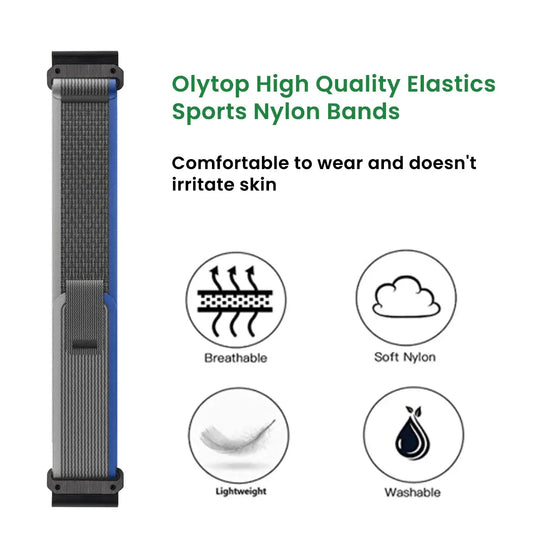
Nylon Velcro Garmin Smartwatch Straps - Quickfit
Elevate your Garmin smartwatch with our designer QuickFit bands, crafted for both style and durability. These bands feature a cool, sleek design that seamlessly integrates with your device, enhancing both its functionality and aesthetic appeal.
Unlock the True Potential of Your Garmin Smartwatch
- Crafted from high-quality nylon material, these straps offer unparalleled durability and comfort for your active lifestyle.
- The Velcro closure ensures a secure and customizable fit, allowing you to easily adjust the band to your preferred tightness.
- Designed with a sleek and modern aesthetic, these bands will elevate the look of your Garmin smartwatch, making it a true fashion statement.
- Featuring a quick-release mechanism, the bands are effortless to swap out, allowing you to mix and match with your outfits or activities.
- Available in a range of stylish colors, these bands will complement any outfit, from casual to formal, seamlessly integrating with your personal style.

Silicone Garmin Watch Bands - Quickfit
Step up your fitness game with our elegant Garmin smartwatch bands that combine functionality with a cool, designer look. These QuickFit straps are built to last, offering both style and durability for active users who demand the best.
Elevate Your Garmin Smartwatch's Style and Performance
- Crafted from premium silicone, these bands provide a comfortable and secure fit, perfect for your active lifestyle.
- The breathable material helps to keep your wrist cool and dry, even during the most intense workouts.
- With a sleek and modern design, these bands seamlessly integrate with your Garmin smartwatch, adding a touch of sophistication to your fitness tracking.
- The quick-release mechanism allows for effortless band swapping, so you can easily change up your look to match your mood or outfit.
- Available in a variety of vibrant colors, these bands will help you express your personal style while elevating the appearance of your Garmin smartwatch.

Tactical Nylon Garmin Straps - Quickfit
Step up your Garmin's style with our elegant QuickFit bands. Crafted from premium materials, these bands offer a cool, chic enhancement to your smartwatch, blending durability with a designer aesthetic.
Elevate Your Garmin Smartwatch's Rugged Sophistication
- Designed with a tactical nylon construction, these bands are built to withstand the rigors of an active lifestyle.
- The rugged material provides exceptional durability, ensuring your Garmin smartwatch remains secure and protected.
- The sleek and modern design of these bands adds a touch of sophistication to your fitness tracking, seamlessly integrating with the aesthetic of your device.
- The quick-release mechanism allows for effortless band swapping, so you can easily switch up your look to suit your mood or outfit.
- Available in a range of stylish colors, these bands will help you express your personal style while elevating the overall appearance of your Garmin smartwatch.

With our stunning designer bands, you can transform your Garmin smartwatch into a true fashion accessory while enjoying unparalleled functionality and durability. 💫 Whether you're looking to elevate your fitness game or simply add a touch of style to your daily wear, our QuickFit bands have got you covered. Explore our collection and unlock the full potential of your Garmin device today! 🤩
Q&A
Why is my Garmin watch not syncing with my smartphone?
Ensure Bluetooth is enabled on both devices, check for software updates, clear the app cache, and restart both devices to resolve sync issues.
Why am I not receiving notifications on my Garmin watch?
Check notification settings on your watch, verify app permissions on your smartphone, update the Garmin Connect app, and restart your devices.
What can I do if my Garmin watch won't turn on or charge?
Check the battery level, perform a soft reset, inspect the charging port, and update the firmware. If problems persist, contact Garmin support.
Why is my Garmin watch not tracking my heart rate accurately?
Factors such as improper fit, skin tone, and excessive wrist movement can affect accuracy. Ensure a snug fit and minimize movements during workouts.
How can I fix GPS signal acquisition problems with my Garmin?
Ensure a clear view of the sky, allow sufficient time for the watch to connect, and update the watch's satellite data.
Why is my watch showing incorrect altitude readings during hikes?
Altitude readings can fluctuate due to atmospheric pressure changes. Ensure to calibrate your watch regularly for accurate tracking.
Why is my Garmin watch's battery draining so quickly?
Extensive use of activity tracking/GPS features, high display brightness, and Bluetooth connection can drain the battery faster. Adjust settings accordingly.
Why isn't Garmin Pay working on my watch?
Ensure compatibility with Garmin Pay, check your account setup, and verify the connection with your smartphone is stable.
What can I do if I'm having trouble playing music on my Garmin watch?
Check storage space, ensure compatible file formats, verify Bluetooth connections, and update firmware to troubleshoot music playback.
By following the troubleshooting steps outlined for each common issue, you can optimize your experience with your Garmin watch. If you continue to face challenges despite these tips, don’t hesitate to reach out to Garmin's customer support for assistance. Harness the power of your Garmin watch to reach your fitness goals!