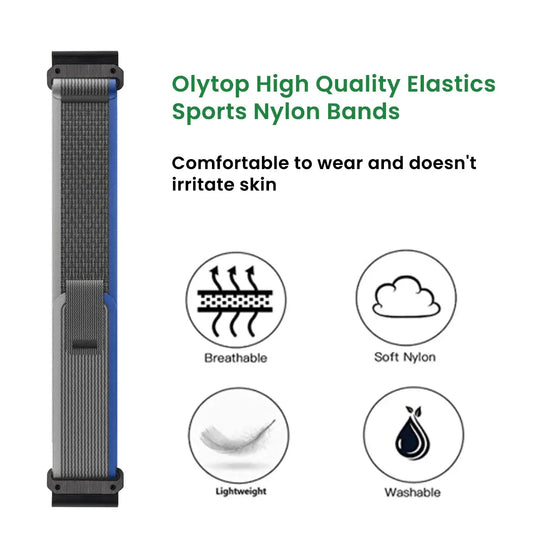
A replacement watch band lets you change the look and feel of your Garmin watch without replacing the watch itself. The useful things to compare are compatibility, material, fastening and how you plan to wear it.
BandsCo's Garmin-compatible bands are third-party replacements, not Garmin-manufactured products. Here is what to check when choosing a strap for workouts and everyday wear.
Start with a band that fits your watch
Check your exact Garmin model and its required attachment type and width before choosing a style. If your watch uses QuickFit, look for a QuickFit-compatible band in the required 20mm, 22mm or 26mm width.
QuickFit and Quick Release are different systems. If you are uncertain which one your watch uses, consult the watch manual or Garmin's attachment-system guide. Do not assume a band fits every Garmin watch simply because its description mentions the brand.
Compare the material and fastening
Think about what you liked or disliked about your current band. You may want a different texture against your wrist, a different closure, or a style that suits different clothes. Check the individual product's details rather than assuming every band made from the same material has the same construction.
- Silicone: Compare the surface, ventilation openings, buckle and adjustment options shown for the product.
- Nylon or other fabric: Check the listed fabric, closure and adjustment method. Woven bands are not all constructed alike.
- Leather: Check the product's material description and care instructions, particularly before exposing it to water or sweat.
- Metal: Check the clasp and how the length is adjusted. Confirm whether any adjustment tool is included instead of assuming it is.
For workouts, pay particular attention to fastening and the care instructions for the specific band. For everyday wear, compare the design and closure you prefer. Do not assume that every watch band is suitable for swimming just because your watch is water-resistant.
A different strap does not add tracking features
A replacement strap does not add GPS, heart-rate monitoring or workout modes to your watch. Those functions belong to the watch itself. Follow your watch's wearing instructions; changing the strap is not a promised upgrade to its tracking accuracy or your exercise performance.
Care for the watch band you actually have
Follow the cleaning instructions for the particular material and hardware. Do not apply one washing method to every band. Let a band dry as directed before wearing or storing it, and check the attachment, buckle or clasp for visible damage or looseness.
If a band no longer fastens securely, stop relying on it to hold your watch until the problem is resolved.
Explore our current Garmin watch bands
Browse our current collection of Garmin-compatible watch bands. Before ordering, check the product page for the attachment type and band width your watch needs.
For examples to compare, see this silicone QuickFit-compatible band and this stainless steel QuickFit-compatible band. Check the currently available options and product details before ordering.
Frequently asked questions
Do all Garmin watches take the same band?
No. Match the replacement to your exact watch's attachment system and required width.
Will a replacement band improve my fitness tracking?
A strap does not add or upgrade the watch's sensors or software. Its role is to hold the watch on your wrist; follow the watch manufacturer's wearing instructions.
When should I replace a watch band?
Check for damaged attachments, a buckle or clasp that will not stay closed, tears, broken links or other wear that stops the band from holding your watch securely. You can also change it simply because you want a different style.